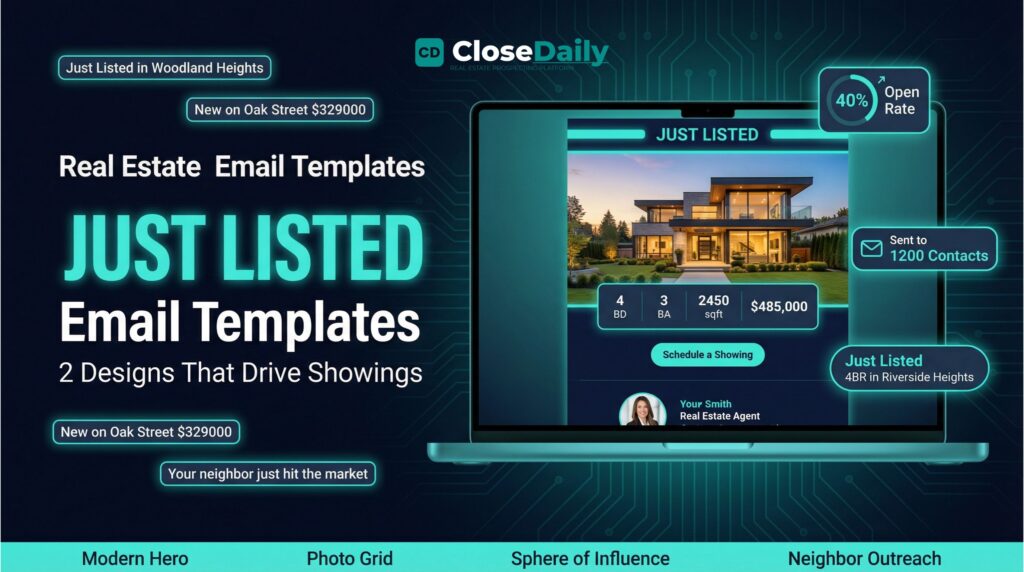
Why Your Just Listed Emails Need to Look as Good as Your Listing Photos
You just signed a new listing. The photographer delivered stunning photos. Your MLS entry is polished. Your social media posts are scheduled. But what about the 500 to 2,000 people sitting in your CRM who already know and trust you? If you are not sending a dedicated “Just Listed” email to your database within hours of going live, you are missing one of the easiest wins in real estate marketing.
Just Listed emails consistently outperform every other type of real estate marketing email. They have higher open rates because they contain news people actually care about, a real home, in a real neighborhood, at a real price. They drive more clicks because the call to action is clear: see the listing, schedule a showing, share it with someone who is looking. And they generate more replies than any newsletter because recipients either want the home or know someone who does.
The problem most agents face is not a lack of motivation, it is a lack of templates. Starting from a blank email every time a listing goes live wastes hours and produces inconsistent results. A set of professional, ready-to-customize Just Listed templates turns a two-hour task into a five-minute one and ensures every listing announcement looks polished and on-brand.
What Makes a High-Converting Just Listed Email Template
Not all listing emails are created equal. The difference between a template that gets 40% open rates and one that gets ignored comes down to a few critical design and content decisions.
The Hero Image Must Be Full-Width and Stunning
The single most important element in a Just Listed email is the lead photo. It should span the full width of the email, be high resolution, and show the property at its absolute best, typically the front exterior at golden hour or the most impressive interior space. Generic stock photos or small thumbnails kill engagement. The photo is your headline; make it count.
Property Details Should Be Scannable, Not Buried
Below the hero image, the essential details need to be immediately visible without scrolling on mobile: address, price, bedrooms, bathrooms, square footage, and lot size. The best templates present these in a clean grid or card layout with bold typography. Do not bury these details in a paragraph of text, most recipients scan rather than read, and if they cannot find the price in two seconds, they move on.
A Status Badge Creates Urgency
A visual status indicator, Active, Coming Soon, Open House Saturday, adds a sense of timeliness that plain text does not. It signals that this email contains news, not just another marketing message. When the listing status changes, updating the badge to “Pending” or “Under Contract” gives you a natural reason to send a follow-up email to the same list.
One Clear Call to Action
Every Just Listed email should have one primary call to action. Not three. Not five. One. “Schedule a Private Showing” works for buyer-focused sends. “View Full Listing Details” works for broader distribution. “Share With a Friend” works for sphere-of-influence sends. Pick the one that matches your audience and make the button prominent, high-contrast, and impossible to miss.
Your Agent Branding Without Overwhelming the Listing
Your name, photo, phone number, and brokerage should appear in the email, but they should not compete with the listing itself. The best templates place agent branding in a subtle footer or a small sidebar card. The listing is the star; your branding is the signature.
Two Template Styles: Modern Hero vs. Photo Grid
The two most effective Just Listed template formats each serve a different purpose, and having both in your library lets you match the template to the property.
The Modern Hero Template
This template leads with a single dramatic full-width photo, followed by the address, price, and key details in a clean card layout. Below that, a brief description paragraph, a prominent CTA button, and your agent info. This format works best for properties with one standout photo, a stunning exterior, a jaw-dropping kitchen, or a panoramic view. The simplicity of a single hero image creates impact and lets the property speak for itself.
Use the Modern Hero for luxury listings, waterfront properties, new construction, and any home where one photo tells the whole story. The single-image focus also loads faster on mobile and renders more reliably across email clients.
The Photo Grid Template
This template opens with a smaller hero image, then displays 4 to 6 additional photos in a grid layout below the property details. This format works best for properties that need multiple angles to tell their story, a home with a spectacular backyard, a recently renovated interior, or a property with unique features that a single photo cannot capture.
Use the Photo Grid for homes with strong interiors, properties with pools or outdoor living spaces, and renovated homes where the before-and-after transformation matters. The grid format gives buyers a more complete picture and increases the likelihood they click through to the full listing.
Segmenting Your Just Listed Email Audience
Sending your Just Listed email to your entire database is better than not sending it at all, but segmenting your audience dramatically improves results.
Active buyers in the right price range and area should receive the email first, ideally within an hour of MLS activation. These are your hottest prospects, and speed matters. The subject line for this segment should be direct: “New Listing: 4BR in Riverside Heights, $485,000.”
Your sphere of influence should receive a slightly different version. The subject line can be more personal: “Just listed a beautiful home in your neighborhood, take a look.” The email body can include a line asking them to share it with anyone they know who might be looking.
Neighbors within a half-mile radius are a separate audience entirely. They are not buyers, they are potential future sellers who want to know what is happening on their street. The subject line shifts to “Your neighbor’s home just hit the market, here’s what it’s listed for.” This positions you as the active, knowledgeable agent in their area and plants a seed for when they are ready to sell.
A CRM with built-in email marketing lets you build these segments once and reuse them for every listing, so the segmentation step takes seconds rather than manual list-building every time.
Subject Lines That Drive Opens on Listing Emails
Your subject line determines whether your Just Listed email gets opened or buried. Here are the patterns that consistently perform for listing announcements.
Lead with the neighborhood or street name. “Just Listed in Woodland Heights” or “New on Oak Street” leverages the recipient’s geographic connection to the area. People pay attention to their own neighborhood.
Include the price point. Buyers filter by price mentally, so including it in the subject line lets them self-qualify: “Just Listed: 3BR Ranch, $329,000.” If the price is aspirational or attention-grabbing for the area, lead with it.
Create urgency without being salesy. “Just hit the market today” or “New listing, showing this weekend” signals timeliness. Avoid hyperbolic language like “MUST SEE!!!” or “WON’T LAST!!!” which triggers spam filters and erodes trust.
Personalize when possible. Subject lines with the recipient’s first name (“Sarah, check out this new listing in your area”) can boost open rates by 10-15%, but only if your email platform supports merge tags and your data is clean. A personalized subject line with a wrong name is worse than no personalization at all.
Automating Your Just Listed Workflow
The agents who win at listing marketing are not the ones who spend the most time on each email, they are the ones who have a system that makes the process fast and repeatable.
The ideal workflow looks like this: listing goes live on MLS, you open your email marketing tool, select the Just Listed template that fits the property (hero or grid), drop in the listing photos and details, select the pre-built buyer and SOI segments, review the pre-send checklist, and hit send. Total time: under five minutes.
For even more efficiency, look for a platform that can auto-populate listing details from an MLS number, so you do not have to manually type the address, price, and bedroom count into the template. Combined with automated drip campaigns that follow up with interested recipients who clicked but did not schedule a showing, your listing marketing becomes a system rather than a one-off task.
The agents who consistently send polished Just Listed emails for every listing, not just the big ones, build a reputation as productive, professional, and connected. Over time, that reputation generates listings. Homeowners choose agents who look active and competent in their inbox, and a sharp Just Listed email is one of the strongest signals you can send.
Ready to close more deals?
Join thousands of agents using CloseDaily to build their business.